

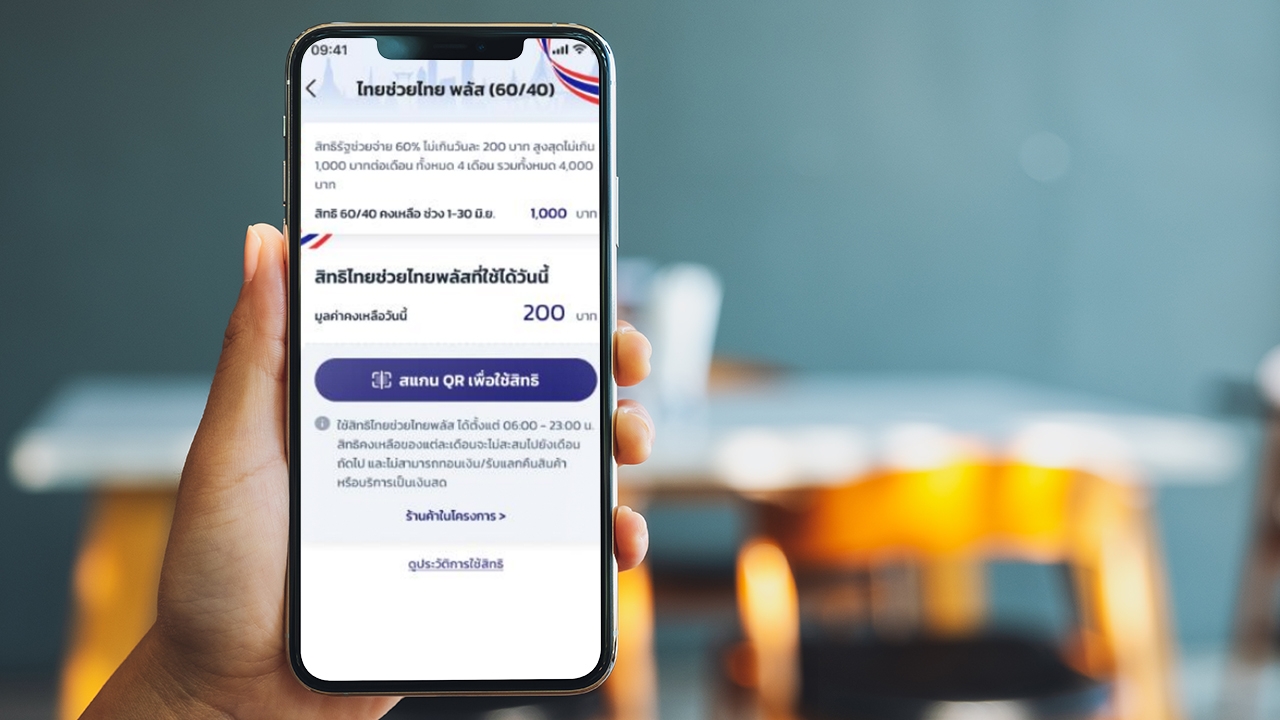
When is registration for Thai Chua Thai Plus? Check the steps to verify identity through the "Pao Tang" and Krungthai NEXT apps, with advice on resolving issues like access denial or failed facial scans before registering for the program. "Thai Chua Thai Plus" Receive 4,000 baht
Project progress "Thai Chua Thai Plus" This initiative focuses on helping and alleviating impacts on vulnerable groups through the State Welfare Card system (poor people's card) covering 13.18 million people, and the general public without such cards, about 30 million people. It aims to ease living costs, sustain consumer purchasing power, and support small vendors to continue their businesses, thus maintaining the country's essential economic stability urgently.
Accordingly, the general public is scheduled to register for the "Thai Chua Thai Plus (60/40)" program via the Pao Tang app, with the following timeframes and details.
The project "Thai Chua Thai Plus (60/40)" will open for registration from 25 May to 30 September 2026, divided into two cases:
1. Store registration opens
2. Public registration opens
Applicants wishing to receive "Thai Chua Thai Plus" benefits can register from 25 to 29 May 2026, between 06:00 and 22:00, with the following conditions and qualifications:
1. Must be a Thai national.
2. Must be at least 18 years old on the registration day.
3. Must possess a national ID card.
4. Must not have had rights suspended or been recalled by the Fiscal Policy Office in government programs including (1) Co-payment, (2) Co-payment Phase 2, (3) Co-payment Phase 3, (4) Co-payment Phase 4, (5) Co-payment Phase 5, and (6) Co-payment Plus.
5. Must not hold a State Welfare Card according to the Ministry of Finance database as of 18 May 2026.
1. Those who previously used Co-payment Plus benefits must confirm their rights to join the program via the "Pao Tang" app.
2. Those who never used Co-payment Plus benefits must register through the "Pao Tang" app. After registration, they will receive a confirmation or denial message via the app or SMS.
To prevent misuse by non-cardholders, beneficiaries must prove and verify their identity as specified by the program.
Beneficiaries must verify their identity with their ID card through Krungthai Bank’s channels, including branches or ATMs with the Confirm ID symbol, except those who have already verified via other government programs or Krungthai Bank channels. Rights will be granted in order of successful registration until all rights are allocated or registration closes.
Those wishing to register for the "Thai Chua Thai Plus (60/40)" program must use the Pao Tang app, following these installation and usage steps:
1. Use a smartphone with Android version 10.0 or higher, or iOS version 15.0 or higher, and install the Pao Tang app as follows:
2. After installation, open the Pao Tang app.
3. Consent to manage identity verification data.
4. Prepare your ID card.
5. Photograph the front of your ID card to verify identity.
6. Check the ID card number and enter your phone number to receive an OTP code.
7. Enter the 6-digit OTP code sent to your mobile phone.
8. Enter ID card information.
10. Choose identity verification method: Krungthai NEXT account or facial scan.
1. Log in to Krungthai NEXT.
2. Enter your Krungthai NEXT PIN code.
3. Tap proceed on the Pao Tang app.
4. Enter the OTP sent to the phone number linked to Krungthai NEXT.
5. Set a new PIN code.
6. Confirm the PIN code.
*Customers must use a Krungthai NEXT account with the same ID card number as in the Pao Tang app.

1. Prepare for facial scan.
2. Perform the facial scan *This step can be skipped if the phone lacks a camera or it is damaged.
3. Set a PIN code.
4. Confirm the PIN code.
5. Enable facial scan or fingerprint scan features.
6. Accept the Pao Tang app's terms of use *Applicants must accept to proceed.
7. Display consent screen only if the user has not previously responded (responses can be either consent or refusal).
8. While the system verifies user data, a message "Verifying information" appears on the card.
9. Upon successful registration, a wallet card appears for service enrollment.
If identity verification via facial scan on the Pao Tang app fails during registration for "Thai Chua Thai Plus," applicants can verify their identity at gray-colored Krungthai Bank ATMs as follows.

