

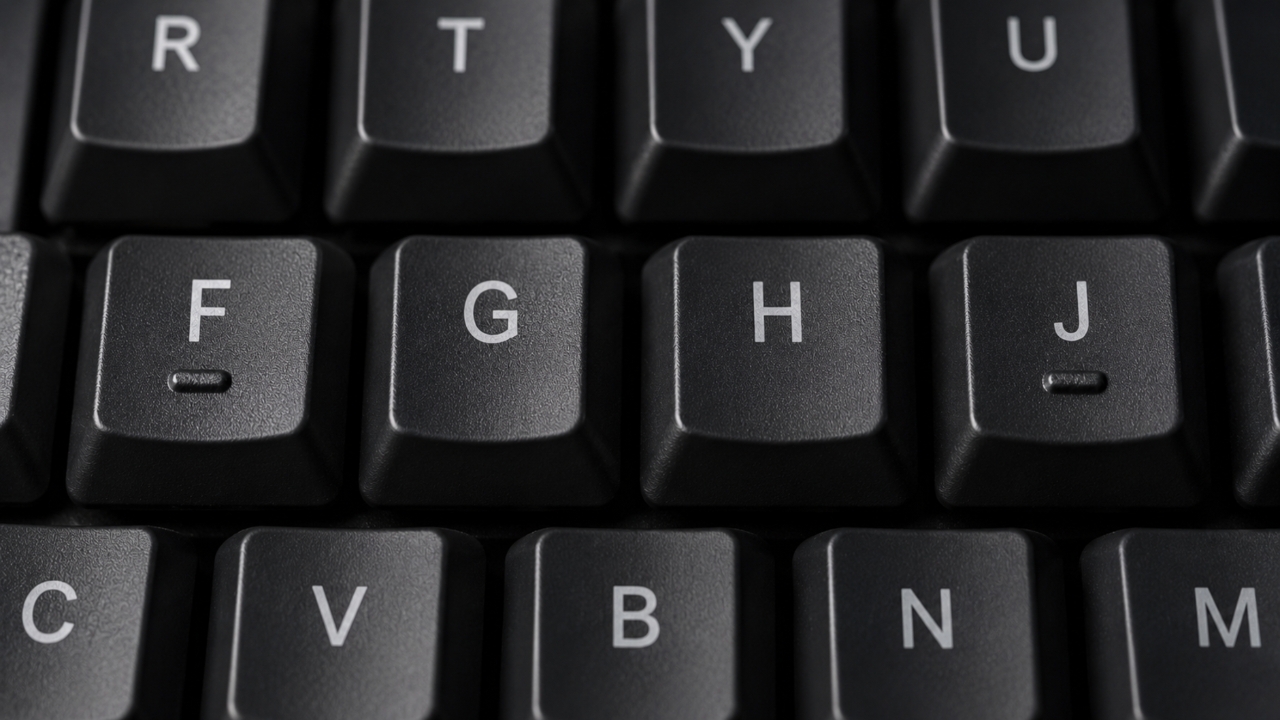
If you look closely at a computer keyboard, you might notice that the F key and the J key have small raised bumps on them, unlike the other keys which are smooth. Many might think this is just a design choice, but in fact, these " bumps " are intentionally designed features to help users type faster and more accurately, especially when touch typing without looking at the keyboard.
The raised bumps on the F and J keys are called Tactile Bumps or tactile points on the keyboard, serving as " reference points " that allow users to correctly position their fingers without having to look down at the keyboard.
In touch typing, the left index finger rests on the F key, while the right index finger rests on the J key. The other fingers then line up on the home row keys as follows:
the keyboard keys as ฟ, ห, ก, ด, เอก (mai ek), อา (sara a), ส and ว.Why are the "F" and "J" keys specifically chosen on the keyboard?The reason the F and J keys are selected is that they are located in the middle of the home row, which is the standard starting position for typing worldwide. This helps professional typists, programmers, writers, and many office workers to type faster using touch typing.

the left index finger on the F key
and the right index finger on the J key, all the other fingers can efficiently reach other keys, minimizing unnecessary movement, increasing typing speed, and reducing errors. Those practicing touch typing rely on the bumps on the F and J keys to find finger placement, allowing continuous work while keeping their eyes focused on the screen. Do laptop keyboards have the raised bumps on the F and J keys? Most computer and laptop keyboards worldwide, whether Windows, macOS, or Linux, include raised bumps on the F and J keys. This design standard has been in place for decades. Some models may replace the "raised bump" with a "raised dot," but the function remains the same: helping users locate finger positions by touch.

The raised bumps on the F and J keys on keyboards
are not mere decorative details but crucial reference points for touch typing. They help users position their fingers correctly, type quickly and accurately, and represent a simple yet highly beneficial design concept for users.
