

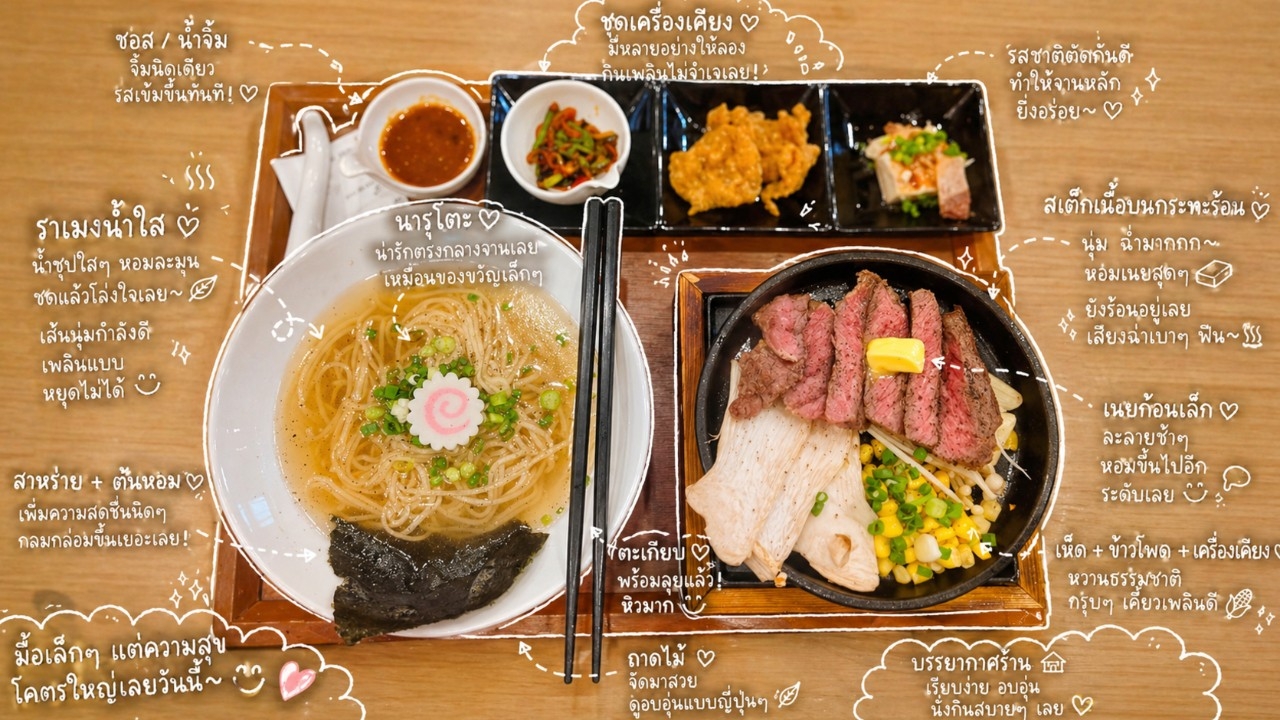
Prompt CommandChatGPTToday’s prompt is guaranteed to please foodies who enjoy photographing their favorite dishes for social media, as it creates a Bullet Journal featuring cute handwriting and adorable captions that make the food look more appetizing and encourage others to try it. We sourced this prompt from the Mintxdiary page. Let’s see how it works.
1. Open the ChatGPT app on your phone or visit chatgpt.com on your computer.
2. Click the plus (+) icon to upload a photo of your favorite dish. It’s recommended to choose a photo with good composition and nice lighting to enhance the image quality.

3. Enter the prompt.
Observe the elements in the photo and add helpful handwritten-style captions for each item.
On-screen content
Please specify the items in the photo (e.g., iced milk tea, donut).
Drawing guidelines
• Use white lines drawn by hand.
• Lines should look natural and slightly irregular, like a single continuous stroke.
• Add outlines around objects.
• Use arrows or dotted lines to guide the viewer’s eye.
Text rules
• Use cute Thai handwritten fonts.
• Write short sentences resembling personal thoughts.
• The tone should feel like a diary entry expressing feelings.
Caption creation rules
• For drinks: describe taste, temperature, and mood (e.g., refreshing, slightly sweet, just right).
• For food: describe texture and deliciousness (e.g., soft, tasty).
• For places: describe the atmosphere (e.g., very relaxing, love this vibe).
• For overall impression: a summary sentence (e.g., feeling so happy today~).
Decorations
• Add elements like steam lines, sparkles, hearts, small emojis as appropriate.
• Don’t overdo it; leave some empty space.
Completed style
• Like an Instagram story or a magazine journal.
• Natural, textured, and slightly relaxed.
4. Press Enter and wait no more than 5 minutes to receive your food photo with a Bullet Journal that handwrites detailed descriptions of the menu and image elements with cute captions that make the food look even more appetizing.
This prompt is not only perfect for those who love photographing food, but also for people who enjoy cooking and want to share recipes on social media through images. It eliminates complicated graphic steps; simply adjust the prompt details to match what you want to convey in the photo, making life easier and the food look more delicious.
However, some captions generated for menu photos may sometimes be inaccurate, and when you ask for corrections,ChatGPTmight edit the appearance of the food itself. If this happens, it’s recommended to starta new chatwith the same photo and prompt but refine the details you want to avoid caption errors. This approach can help to some extent.