

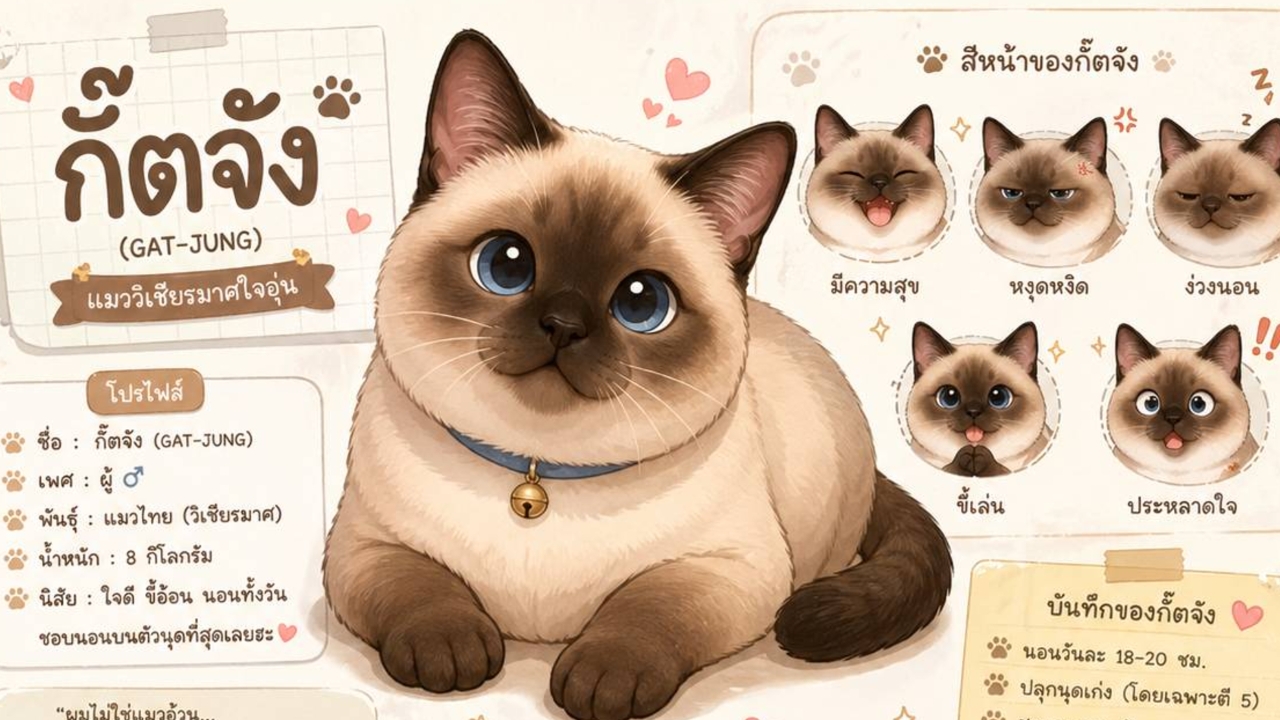
For those still enjoying using prompts in ChatGPT to create fun infographic images, we now have a new command designed for Pet Parents to make cute cartoon-style profiles of their beloved pets.
Previously, you had to send pictures to ChatGPT for facial analysis, but now there's no need to send images and waste time. Simply send a prompt to the AI, but the key to perfect results lies in designing the prompt to closely match your pet's personality and traits.
1. Open the ChatGPT app on your mobile phone or visit chatgpt.com on your computer.

2. Enter the following prompt:
Style: Cute, warm, soft cartoon illustration in Japanese/Kawaii style.
Layout: Character profile poster including:
* Large main portrait.
* Multiple facial expressions (happy, annoyed, sleepy, playful, surprised).
* Various poses (running, playing with toys, lying on back, inside a box) according to personality.
* Small object icons.
* Color palette section.
* Profile section with name and personality.
Personality:
Name:
Gender:
Breed::
Weight:
Add handwritten-style notes and labels (in Thai), soft shadows, warm color tones, clean composition, and high detail.
3. Press Enter and wait no longer than 5 minutes to receive your pet's infographic profile in cartoon form. This will surely melt the hearts of pet owners.
This level of cuteness is heart-melting. Pet owners shouldn’t wait—try this prompt now. It’s easy and free but limited to 5 uses per day. For extended use, you need to subscribe.