

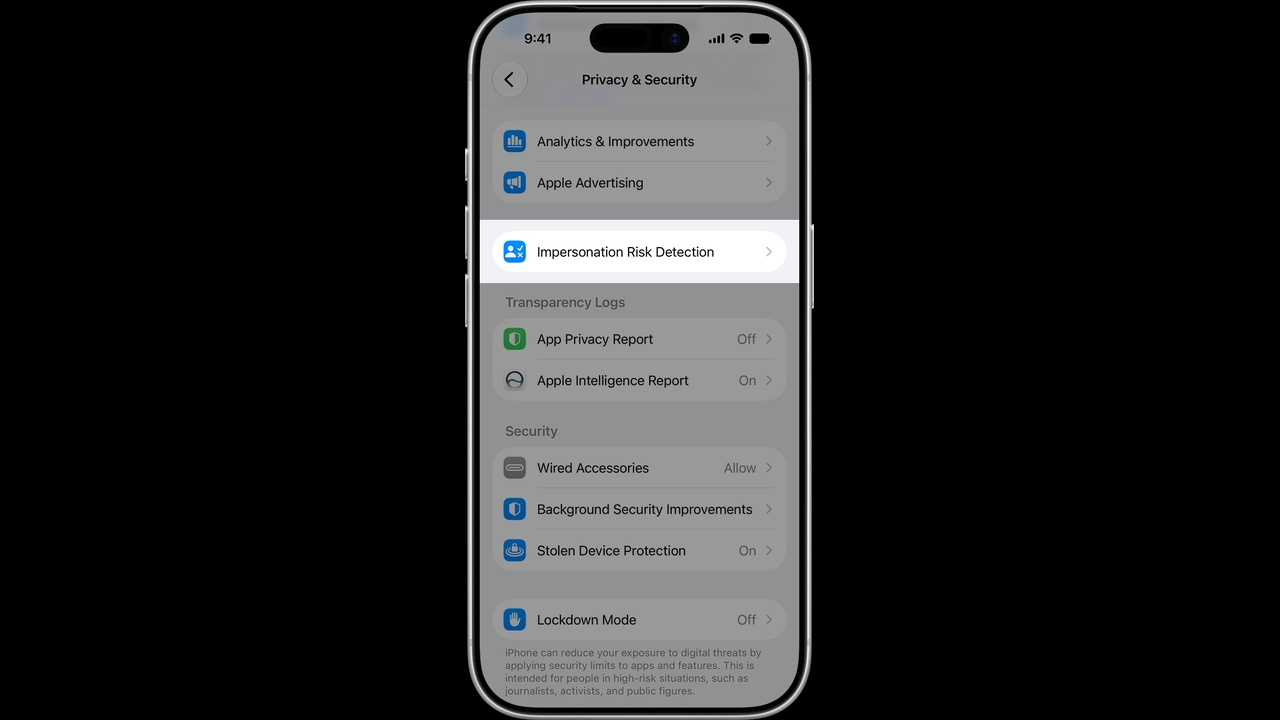
Apple has added a new security feature called Impersonation Risk Detection in iOS 27 to help protect iPhone users from scammers impersonating banks, government agencies, or trusted individuals.
Apple revealed on its support website details about a new feature in iOS 27 named Impersonation Risk Detection, designed to combat social engineering scams where fraudsters impersonate banks, government agencies, or trusted contacts to pressure or manipulate victims into transferring money or changing account information.
Traditional security measures like two-factor authentication cannot always detect this kind of fraud because the users themselves carry out the transactions, even if under deception or pressure.
The Impersonation Risk Detection system analyzes information about the device and the user’s Apple Account to detect signs of victimization, then returns a risk level to the app. The app only receives the risk level, not the underlying data used for assessment.
The risk levels are divided into three categories:
Upon receiving the risk level, the app decides how to proceed, such as requesting additional user authentication, delaying the transaction, or showing warnings about potential fraud. Apple does not control or dictate the app’s decisions.
iPhone users running iOS 27 can enable this feature by following these steps:
Apple notes that users may need to sign in to the App Store with their Apple Account before enabling this feature.
The Impersonation Risk Detection feature is available on iOS 27 and iPadOS 27 and later but works only in apps that support it. So far, Apple has not released a list of supported apps.
Source:9to5Mac