

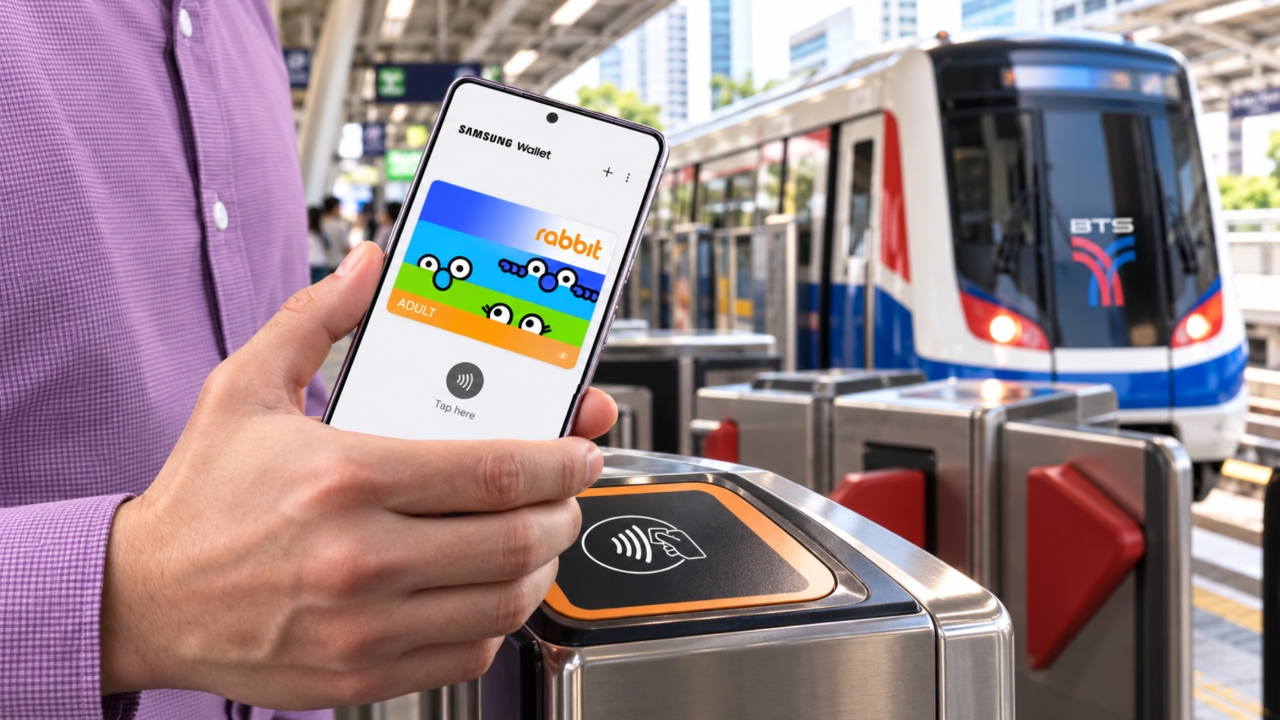
Update Samsung Wallet Link Card Rabbit Card Now Available! This feature allows supported Samsung Galaxy smartphone users to add their Rabbit Card to the Samsung Wallet app, enabling them to tap their phones for fare payment on BTS, MRT, BRT buses, and ferries, replacing the plastic Rabbit Card for convenience. It can also be used for payments at participating stores.
Thairath Online Let's explore how to use Samsung Wallet, from adding the Rabbit Virtual Card, to tapping for fare payment, checking which Samsung phone models support this feature, and important tips before getting started. .
is Samsung's digital wallet app for storing cards, membership cards, tickets, and digital keys in one place. It features Samsung Knox security technology to protect users' important data. The app "Samsung Wallet" can be downloaded and installed directly on your smartphone.One of the supported features in Thailand is the Rabbit Virtual Card which lets you add your Rabbit Card number into Samsung Wallet, allowing you to use it instead of a physical Rabbit Card for transit and payments where accepted, offering convenience without carrying a separate fare card.
How to Use Samsung Wallet to Add Rabbit Card: Step-by-Step Instructions For those who want to add a Rabbit Card to Samsung Wallet, Samsung recommends following two cases: If you are using the My Rabbit app for the first time,

Open a My Rabbit account
Prepare your ID card for identity verification and follow the given instructions
Verify your identity and scan your face
Once complete, you will successfully open a Rabbit Wallet account.
If you already have a My Rabbit account,
you can add the Rabbit Virtual Card to Samsung Wallet by following these steps:
Open the Samsung Wallet app and select "Add Card"

Select "Rabbit Virtual Card"
Enter your My Rabbit app PIN
Read the service terms and tap "Accept and Continue"
Choose "Consent to share personal data" and tap "Proceed"
Select your preferred Rabbit Virtual Card design
Pay the card issuance fee
Tap "Add to Samsung Wallet"
The card is successfully added to Samsung Wallet and ready for use on supported channels.
Which BTS-MRT Lines Can Samsung Wallet Linked with Rabbit Card Be Used On?
Samsung states that Samsung Wallet linked with Rabbit Card supports public transit and participating stores as follows:
Category


BTS Skytrain
| Sukhumvit Line, Silom Line, and Gold Line | MRT |
|---|---|
Pink Line and Yellow Line | Bus |
BRT Express Bus | Ferry |
11 automatic ferry ticket vending points | Stores |
Stores accepting Rabbit payments | The 11 automatic ferry ticket vending locations are Sathorn 1, Sathorn 2, Ratchawong, Rachinee, Tha Chang 1, Tha Chang 2, Tha Maharaj, Pran Nok, Phra Athit, BTS Saphan Taksin, and Tha Tien. |
Check Which Samsung Galaxy Models Support Rabbit Card | Which Samsung Wallet versions are compatible? Samsung lists the Galaxy smartphones that support using Samsung Wallet with Rabbit Virtual Card, divided into four groups: |
1. Samsung Galaxy Z Fold Series

Galaxy Z Fold8

Source: Samsung Thailand