

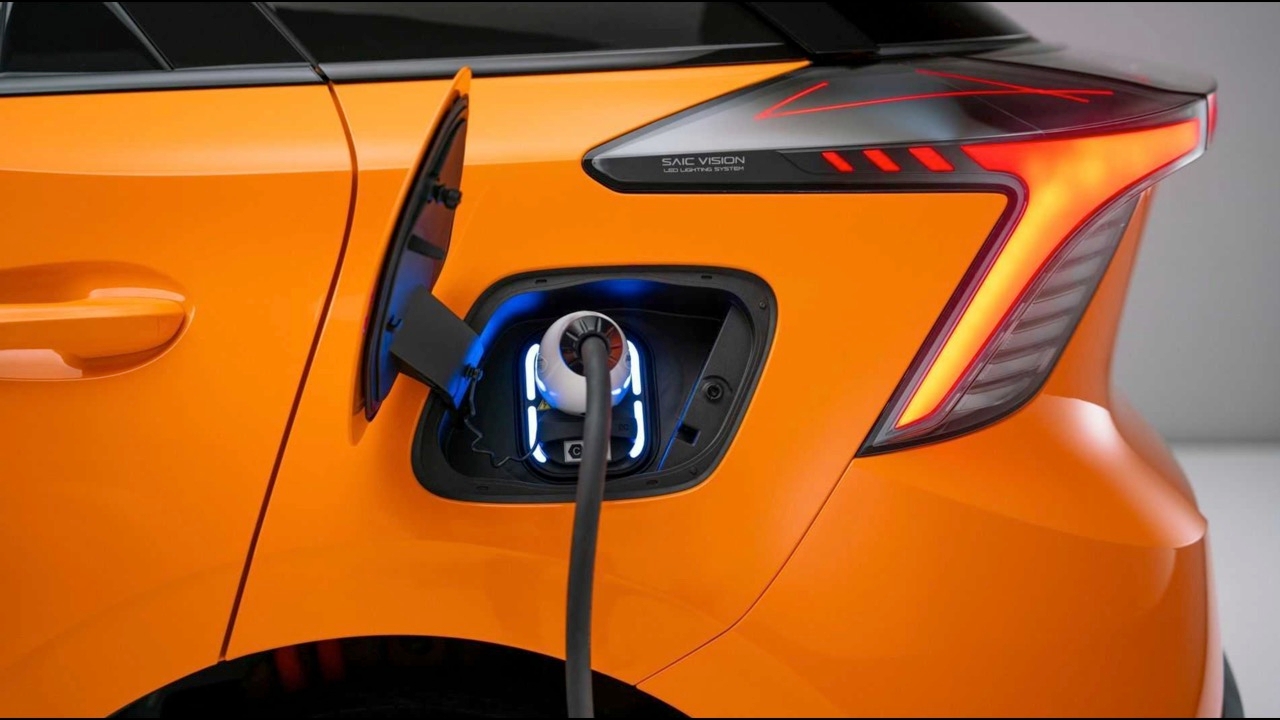
This is a major problem right here. After finishing charging and unlocking, trying to pull out the charging cable head, it remains stuck and cannot be removed. Having the cable stuck in the vehicle even after stopping the charge is a frustrating issue. Some electric vehicle models experience this problem within just two days of use. The car cannot move because the cable remains attached. When the cable is stuck, the vehicle stays in charging mode and cannot move at all. This usually results from a physical or safety system issue, or sometimes a software error controlling the charging process. The lock mechanism remains engaged. This problem mostly occurs with newly purchased electric vehicles shortly after use.


Possible causes
Mechanical lock: Some devices, such as electric vehicles or certain electrical appliances, have a locking pin securing the charging head for safety, which may not release even after the power supply stops.
Dust or foreign objects: Dust particles or small objects may get stuck inside the port, preventing the locking latch or plug from moving.
Excessive temperature: If the device becomes very hot, safety systems may lock the charging head until the temperature lowers to prevent sparks when unplugging.
Port damage: The charging head or port might be bent or deformed, causing it to be unintentionally "locked" in place.

Basic solutions
Do not pull forcefully: Excessive force may cause more severe damage to the charging port, leading to costly repairs.
Check status again: Try reinserting the charger and pressing "stop" or "unlock" again. Sometimes the software may freeze and require a repeat command.
Wait for cooling down
If the device is very hot, wait 10-15 minutes before gently trying to remove the cable.
Consult the manual: For specialized equipment such as electric vehicles, there is often an "emergency release cable" hidden, which you can pull to manually unlock the charging head.

If charging the vehicle and the charging head cannot be removed despite stopping via app or charging station, try the following steps:
Basic steps (try first)
Unlock the vehicle again: Hold the unlock button on the car remote for 3-5 seconds or press the unlock button on the vehicle’s console. Some models require repeatedly locking and unlocking to move the charging pin.
Check charging station status: If using a public charger, verify the display shows "ready to remove charging head" (Unlock). If not, press the Emergency Stop (red button) on the station and wait before trying again.
Emergency release: If the above fails, most electric vehicles have a hidden "emergency release cable" that can be manually activated.
Location: Usually inside the rear storage compartment (on the same side as the charging port) or under the hood near the high-voltage orange wiring.
Appearance: A pull cord with a brightly colored loop (usually red or orange).
How to use: Gently pull the cord straight to release the locking pin at the charging port, allowing the charging head to come loose.
The emergency release cable location varies by brand and model (such as MG, BYD, GWM). It is recommended to consult your vehicle’s manual with illustrations before attempting.

Pulling the emergency release manually overrides the locking mechanism by hand, but the vehicle’s software may not yet detect the charging head is truly removed since this bypasses normal electrical systems, causing the car to remain in "charging" mode.
What happens if the emergency release is pulled but the car status does not change:
Safety system: The vehicle may prevent gear engagement (Drive or Reverse) because it believes the charging head is still connected to avoid dragging the cable (drive-off protection).
Warning display: An error message or "Charging Fault" status may continuously show until the system is reset.

How to restore normal vehicle operation
After removing the charging head but the vehicle still won’t move, try the following:
Reset the vehicle system (Power Cycle/Restart):
Turn off the vehicle completely (switch off all electrical systems).
Walk away with the key fob to allow the vehicle to enter sleep mode or lock itself, waiting about 5-10 minutes.
Return to the vehicle and restart the system (similar to rebooting a computer). The charging port sensors typically recheck their status upon waking and should detect that no cable is connected.
Try issuing the "stop charging" command again.
After restarting, if the screen still shows charging, press "Stop Charging" or "Unlock Charging Port" on the display again to attempt a fresh handshake with the charging port until status normalizes.

Lock and unlock the doors.
Sometimes locking and unlocking the vehicle via remote sends a signal for the charging port mechanism to reassess itself.
If these steps fail and the vehicle remains immobilized, the charging port sensor may be malfunctioning (Charging Port Sensor Error), possibly due to a stuck or damaged microswitch from emergency pulling.
You will need to contact a service center and report, "I have performed the emergency unlock but the car still shows charging status and cannot shift gears." Technicians can reset the system with special tools or guide you through a model-specific hard reset.