


The latest update on the Co-Payment Phase 2 project: Anutin confirms it is definitely coming, with a 'buy 1 bowl of noodles, get 2 bowls' offer. Check which groups are eligible to receive 2,000 to 2,400 baht to spend through the Paotang app.
Progress of the project “Co-Payment Plus” Phase 2 Recently, after being halted due to the 2025 Royal Decree dissolving the parliament on 12 Dec 2025, Anutin Charnvirakul's government changed to a "caretaker government."
But from the “2026 Election” on 8 Feb 2026, when the Election Commission (EC) began unofficially releasing vote counts, it appeared that the leading party was Bhumjaithai Party of “Anutin Charnvirakul.” This caused the “Co-Payment Plus” Phase 2 program, which had been paused, to become a topic of discussion again.
Later, Mr. Aeknithi Nitithanprapas, Deputy Prime Minister and Minister of Finance, revealed short-term economic stimulus measures including Co-Payment Plus. He said systems must be prepared to proceed once the official government is formed, enabling immediate implementation. The principle remains: 2,000 baht for those outside the tax system and 2,400 baht for those within it. They are also considering whether to distribute funds simultaneously or first to those missed in the initial round, as well as promoting the Thailand Individual Savings Account (TISA) to encourage savings.
Meanwhile, recently Mr. Anutin Charnvirakul rode on a parade truck to thank the public after launching the Chinese New Year event in Nakhon Sawan. Passing a boat noodle shop, Anutin urged people to enjoy their noodles and confirmed the Co-Payment Plus program will definitely return, offering 'buy 1 bowl, get 2 bowls.'
However, reviewing the conditions of the “Co-Payment Plus Phase 2” program shows it is limited to 10 million rights holders, each receiving 2,000 baht. The recipients are divided into two groups as follows:
It is expected that the 10 million rights holders in the “Co-Payment Plus Phase 2” program will receive a total assistance amount of 2,000 baht each throughout the program.
They can spend at participating stores between 06:00 and 23:00 via the G-Wallet in the “Paotang” app, with no requirement to use the full 200 baht per day.
How to download the “Paotang” application
However, eligible individuals should remember to download the “Paotang” app and complete identity verification to prepare to receive the “Co-Payment Plus” benefit. To download the “Paotang”
app, follow these steps:
click here.
2. Search for “Paotang” in the search bar.
3. Select “GET” or “Install.”
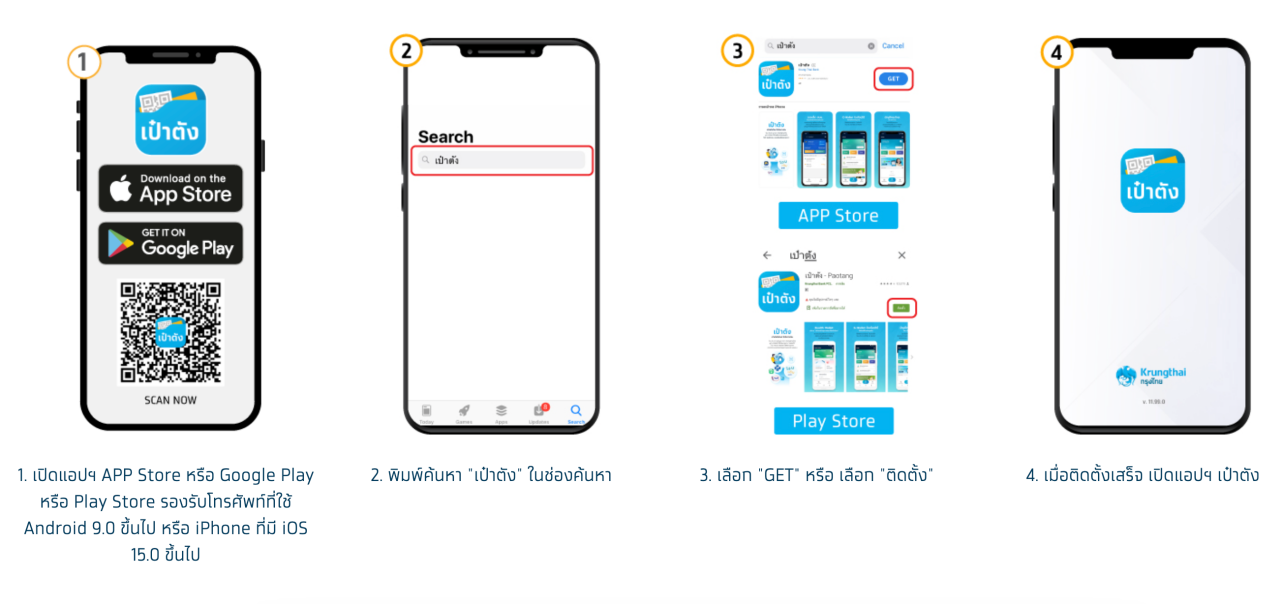
4. After installation, open the Paotang app.
5. Consent to the management of identity verification data.
6. Prepare your ID card.
7. Take a photo of the front of your ID card to verify identity.
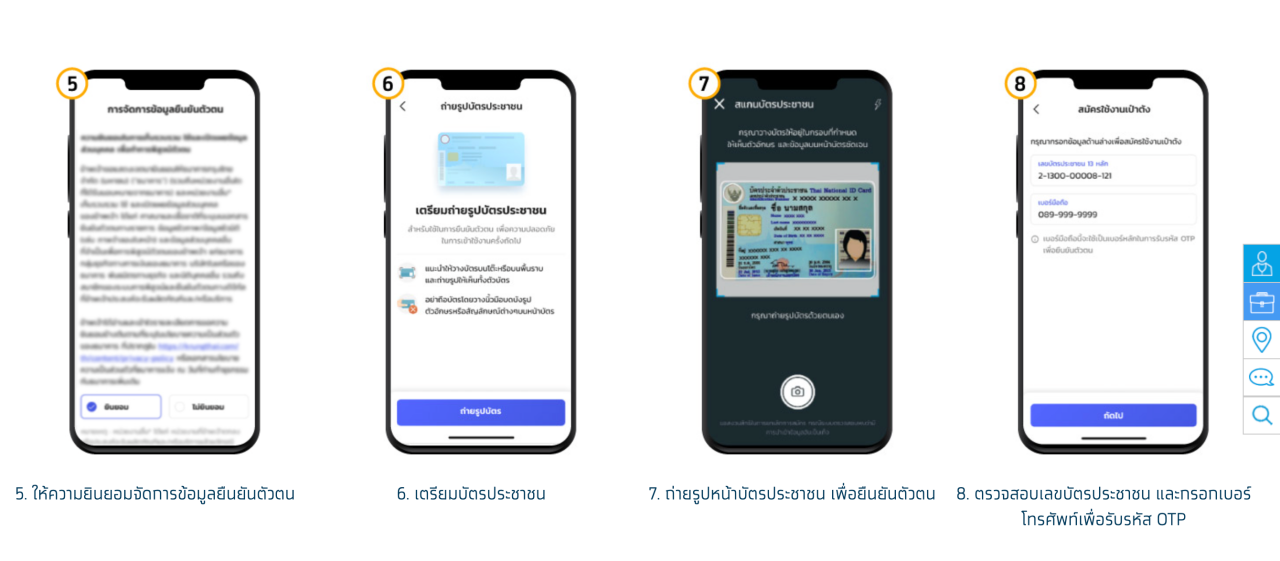
8. Check your ID number and enter your phone number to receive an OTP code.
9. Enter the 6-digit OTP received on your phone.
10. Fill in ID card information.
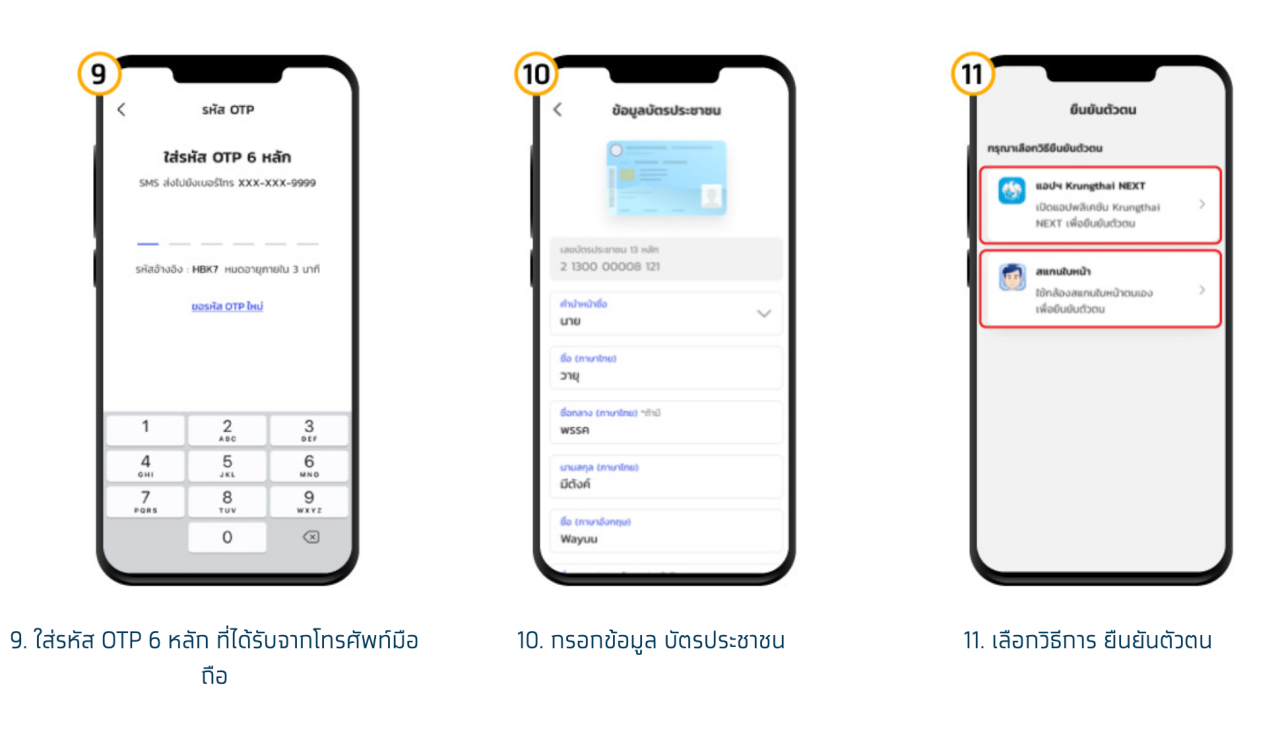
11. Choose a method to verify your identity.
If verifying via Krungthai NEXT account:
1. Log into Krungthai NEXT.
2. Enter your Krungthai NEXT PIN.
3. Confirm operation on the Paotang app.
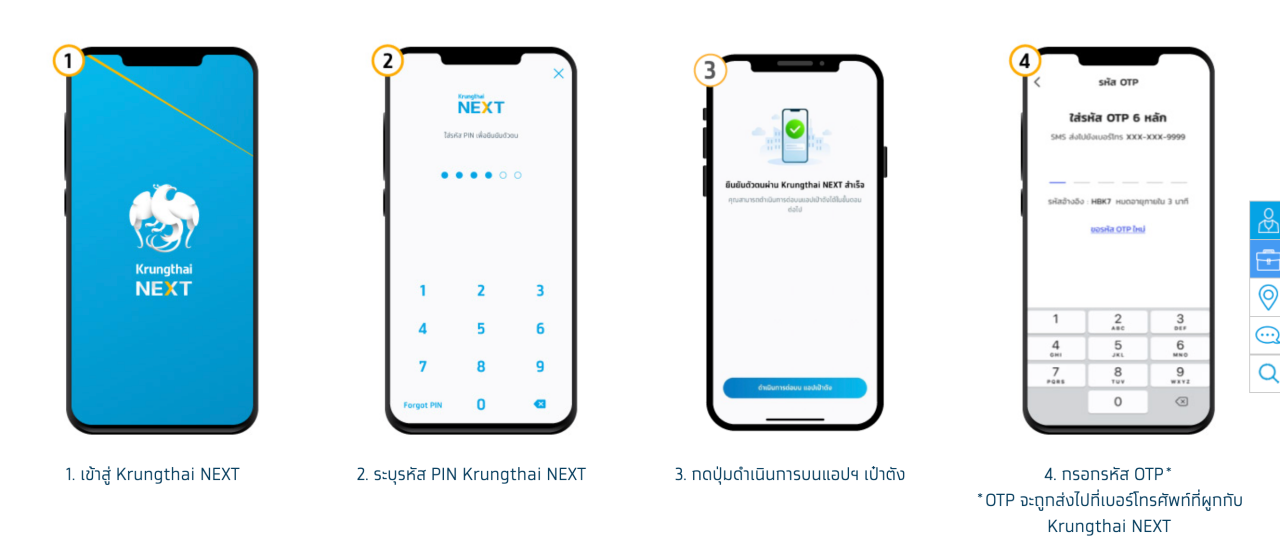
4. Enter OTP sent to the phone number linked to Krungthai NEXT.
5. Set a PIN.
6. Confirm the PIN.
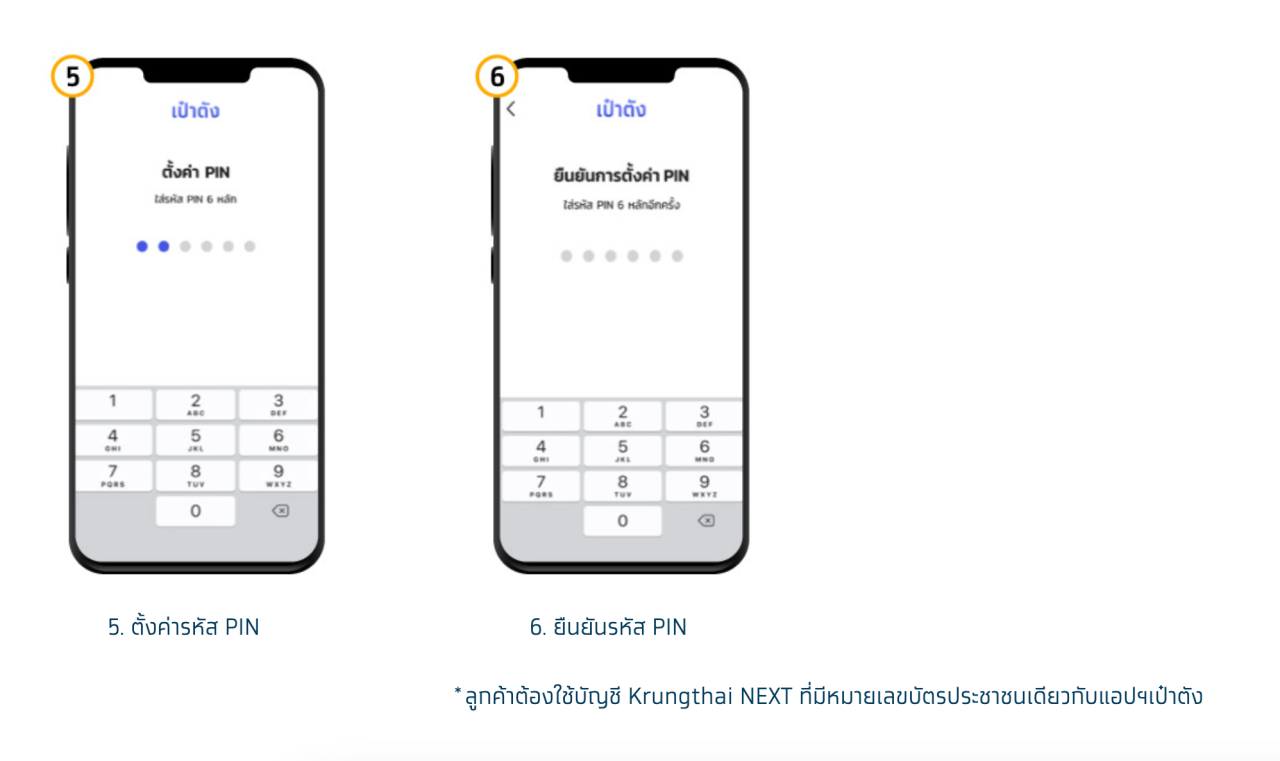
Applicants must use a Krungthai NEXT account with the same ID number as registered in the Paotang app.
If verifying by facial scan:
1. Prepare to scan your face.
2. Scan your face (can skip if phone has no camera or it is damaged).
3. Set a PIN.
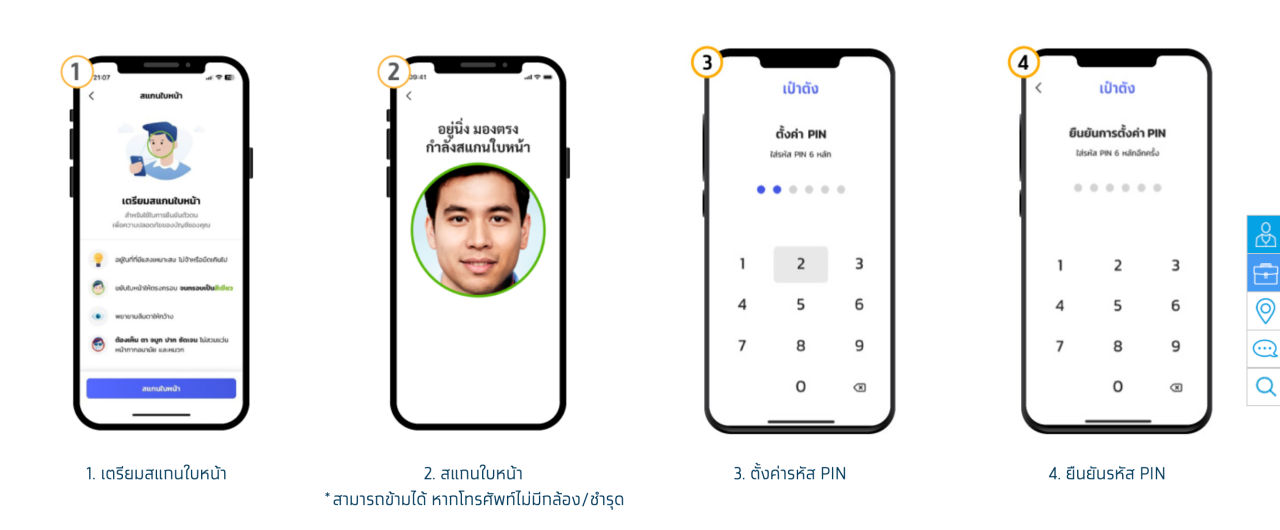
4. Confirm the PIN.
5. Enable face or fingerprint recognition.
6. Accept the terms of use for the Paotang app (applicants must accept).
7. The app will display screens to seek consent that the user has not previously responded to (responses can be consent or refusal).
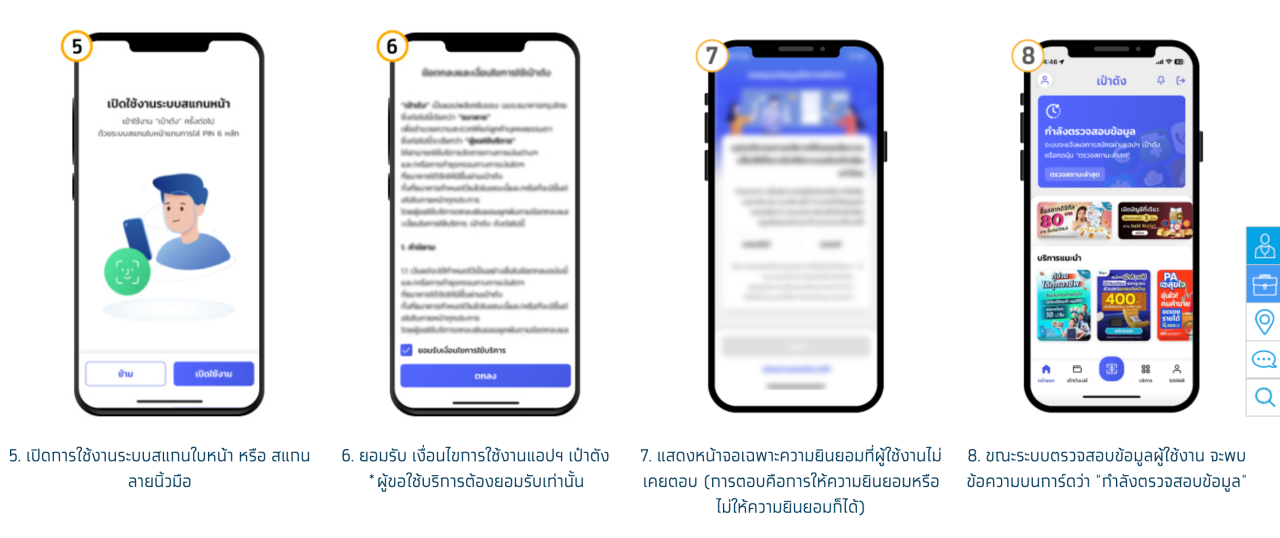
8. While verifying user data, a message on the card will say "Verifying data."
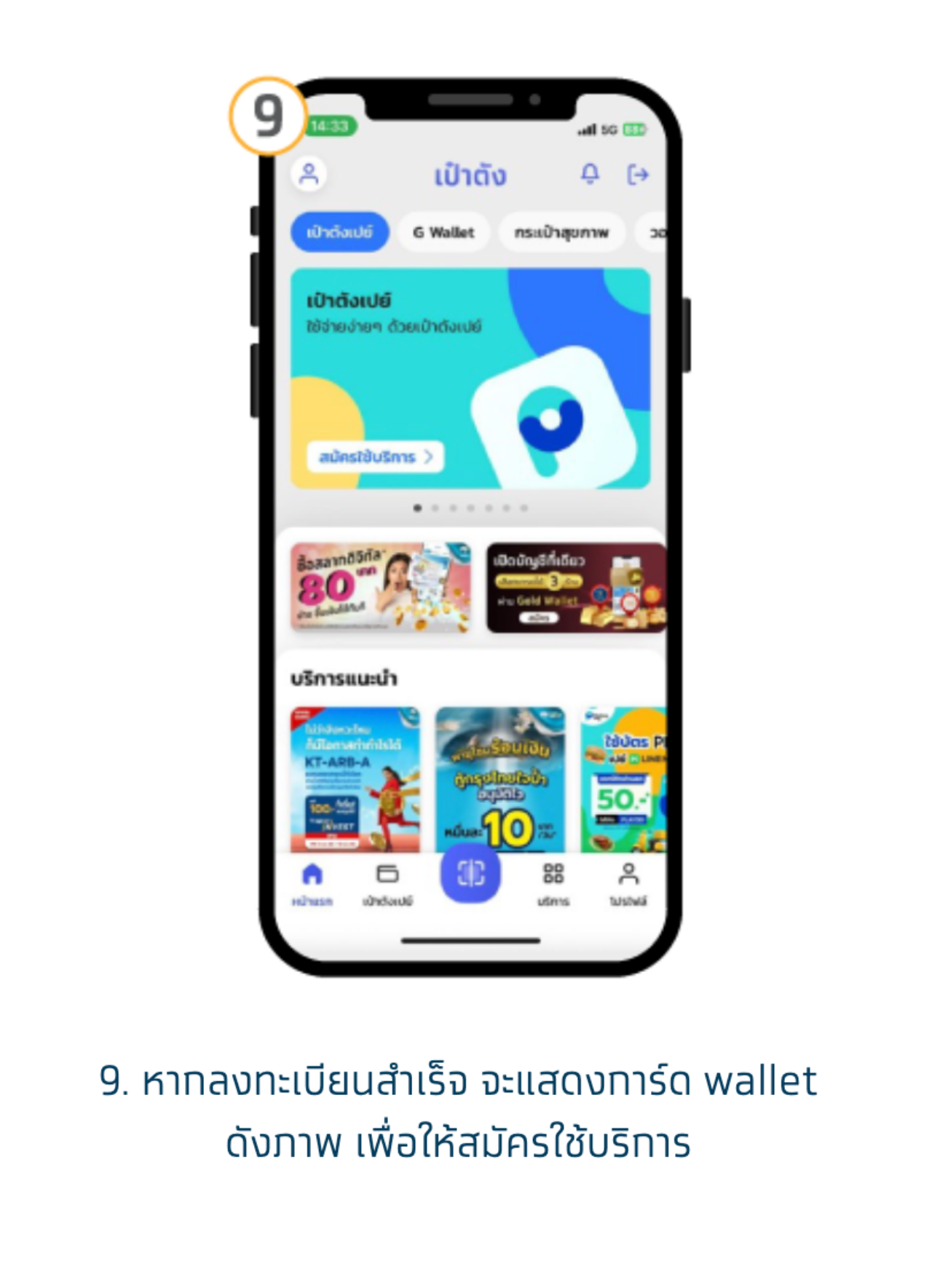
9. Upon successful registration, a wallet card will display as shown, enabling service subscription.
Tap the Co-Payment Plus banner to start spending.
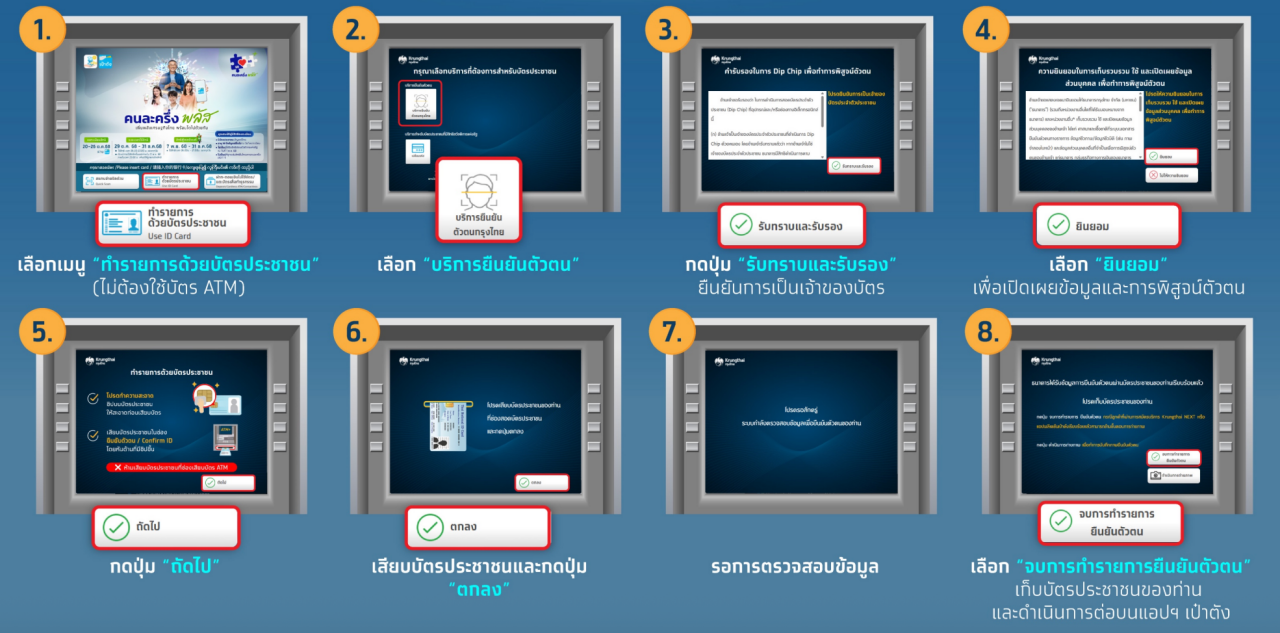
Paotang identity verification via Krungthai Bank ATM (gray ATM) with a screen that has bottom buttons:
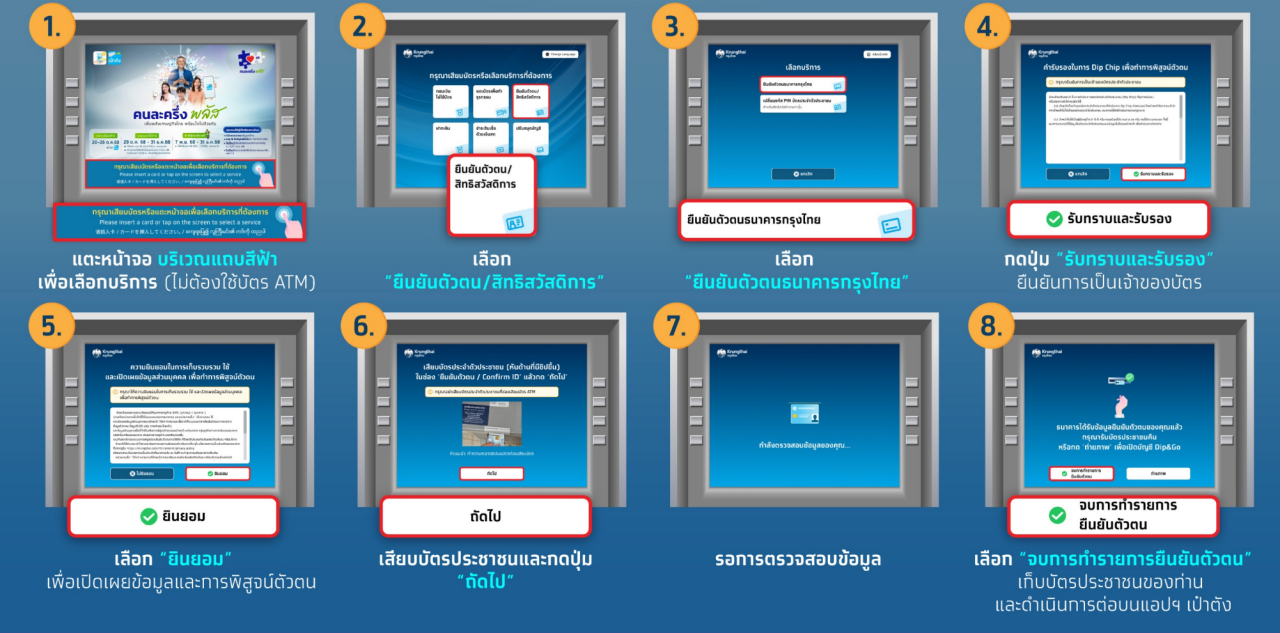
Paotang identity verification via Krungthai Bank ATM (gray ATM) with a screen without bottom buttons:
1. Tap the blue bar on the screen to select a service (no ATM card needed).
2. Select “Verify identity / State welfare card.”
3. Choose Krungthai Bank identity verification.
4. Press “Acknowledge and Confirm” to verify ID card ownership.
5. Select “Consent” to disclose information and verify identity.
6. Insert your ID card and press “OK.”
7. Wait for data verification.
8. Select “Finish identity verification,” remove your ID card, and continue on the Paotang app.
Reference:Co-Payment Plus