


"Co-Payment Plus Phase 2" is confirmed. Check the timeline and registration methods. Await results via the "Paotang" app to receive 2,000-2,400 baht.
Progress on the Co-Payment Plus Phase 2 program is becoming clearer after Mr. Akniti Nitithanprapas Deputy Prime Minister and Minister of Finance, said at a seminar, “Regarding Co-Payment Plus, many have said the short-term plan is to develop a new Plus feature that enables participating shops to press a button to analyze sales data, revealing the best selling times and customer groups. Proper cost management alone is beneficial. We've also discussed with the Thai Bankers Association about analyzing income and expenses to enable easy loan access, avoiding informal debts, and helping sellers improve skills. On the buyer side, AI will analyze purchases to promote spending knowledge,” as previously reported.
According to the government formation timeline, Anutin Charnvirakul following the 8 February election, the forecast is as follows:
The program limits 10 million rights, offering 2,000 baht per person. Eligible recipients are divided into two groups:
It is expected that these 10 million eligible participants will receive a total assistance amount of 2,000 baht each throughout the program.
1. Open the App Store, Google Play, or Play Store. Supported phones require Android 9.0 or higher, or iPhone with iOS 15.0 or higher.
2. Type "Paotang" in the search bar.
3. Select "GET" or "Install."
4. Once installed, open the "Paotang" app.
5. Consent to manage identity verification data.
6. Prepare your national ID card.
7. Take a photo of the front of your ID card for identity verification.
8. Check your ID number and enter your phone number to receive an OTP code.
9. Enter the 6-digit OTP received on your mobile phone.
10. Fill in the ID card information.
11. Choose your identity verification method.
For those who have the Paotang app but have not used it for a long time and face issues, updating to the latest version is necessary as follows:
1. Open the App Store or Google Play Store.
2. Search for "Paotang" then tap the "Update" button.
For verification using a Krungthai NEXT account
1. Log into Krungthai NEXT.
2. Enter your Krungthai NEXT PIN code.
3. Tap the proceed button in the Paotang app.
4. Enter the OTP sent to the phone number linked to Krungthai NEXT.
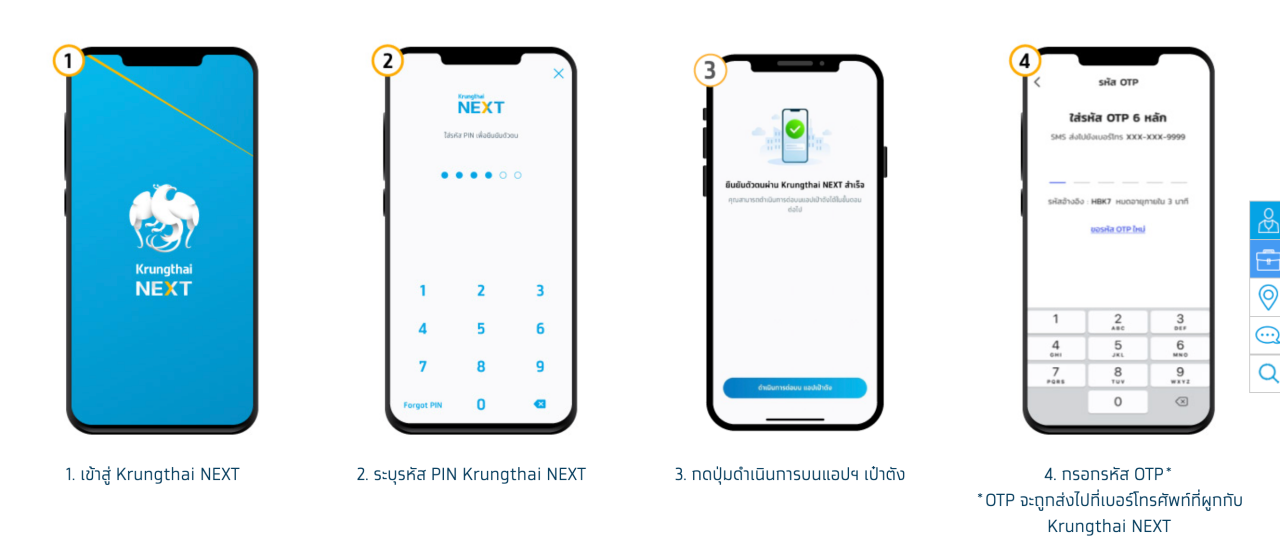
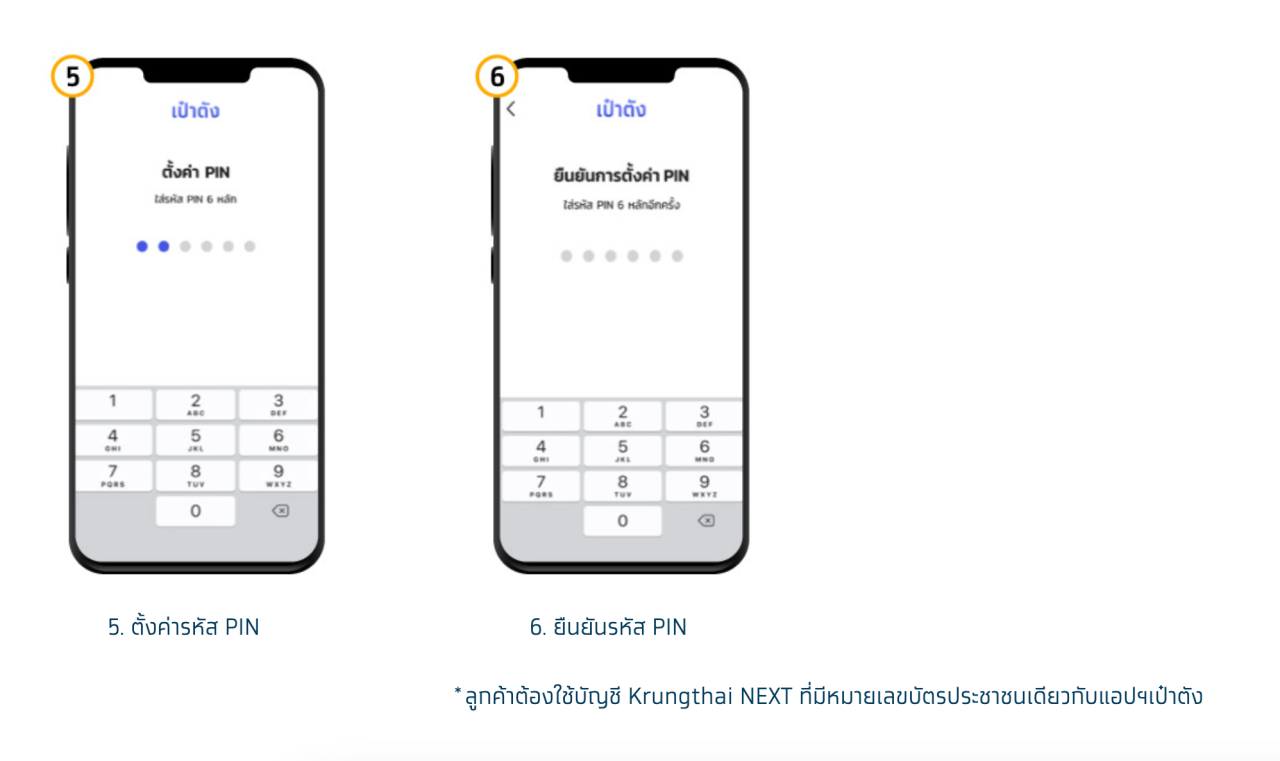
5. Set a PIN code.
6. Confirm the PIN code.
Applicants must use a Krungthai NEXT account with the same national ID number as in the Paotang app.
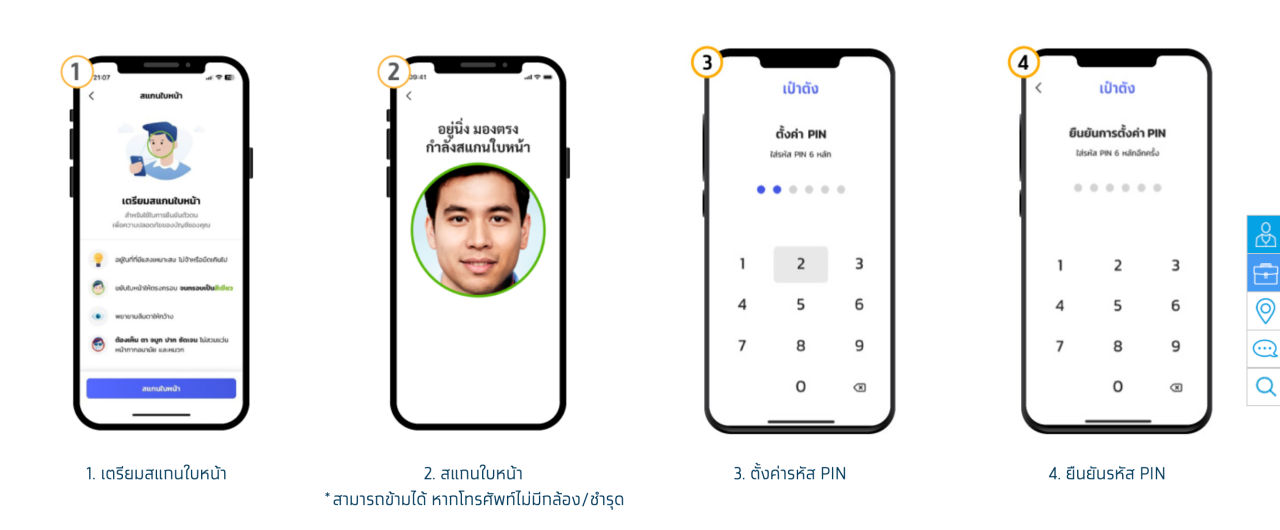
For verification by facial scan
1. Prepare to scan your face.
2. Scan your face (can skip if your phone lacks a camera or it is damaged).
3. Set a PIN code.
4. Confirm the PIN code.
5. Enable facial or fingerprint scan login.
6. Accept the Paotang app terms of use (mandatory for users).
7. Display consent screens previously unanswered (users may consent or decline).
8. During system data verification, a card will show the message "Verifying data."
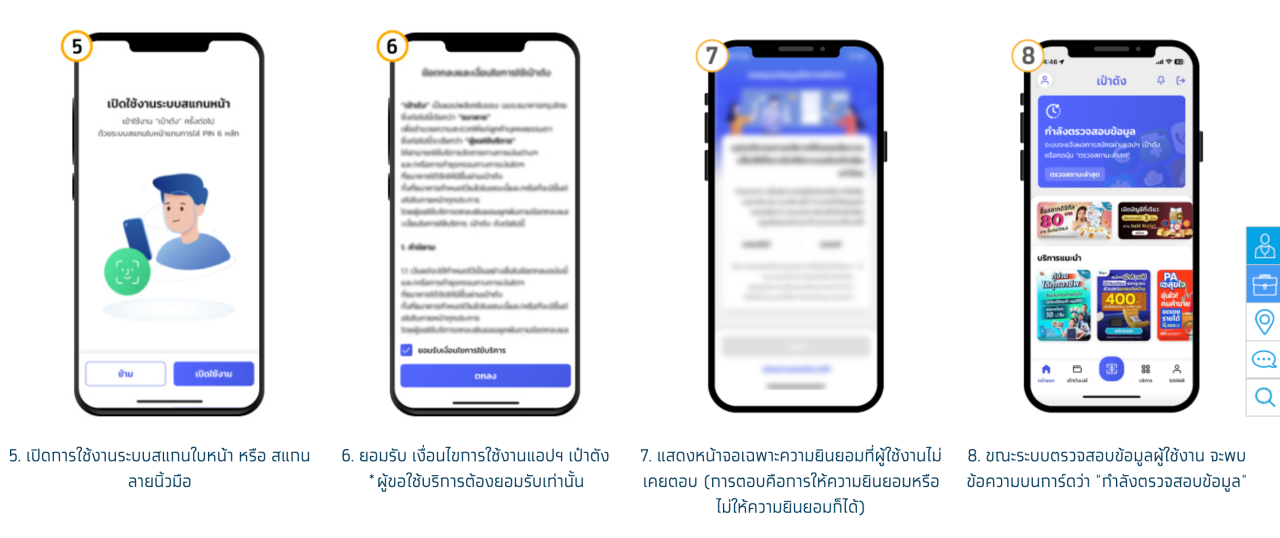
9. Successful registration will display the wallet card as shown, enabling service use.
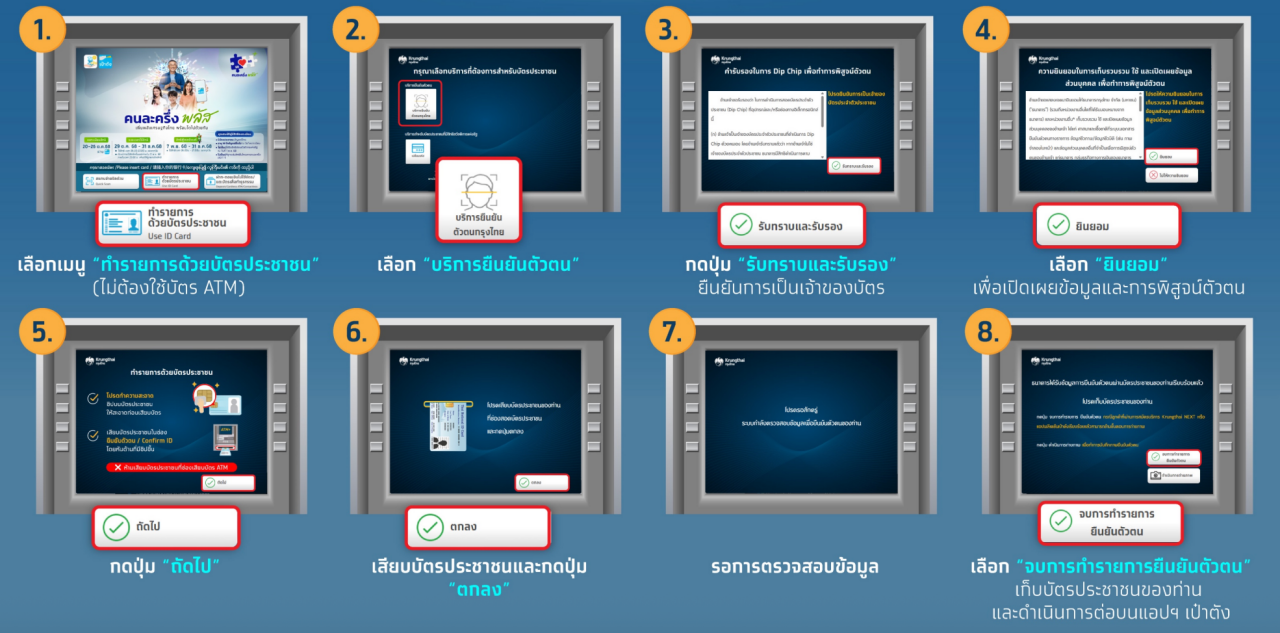
Verify identity at a Krungthai Bank ATM (gray machine) with buttons below the screen.
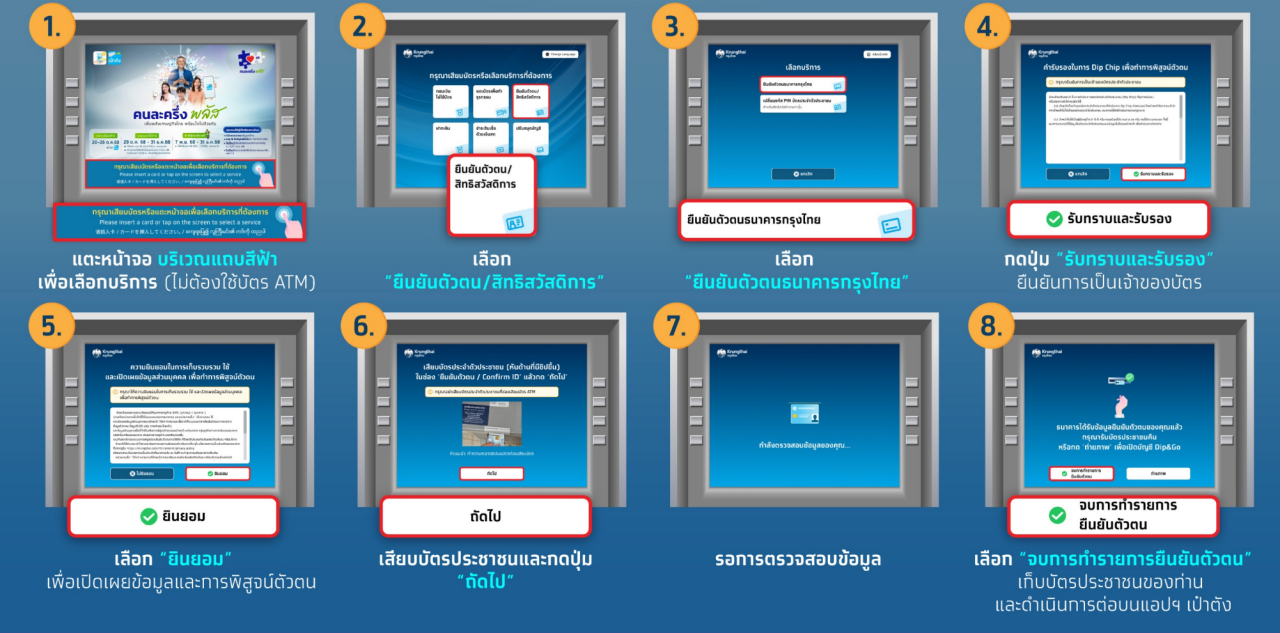
Verify identity at Krungthai Bank ATM (gray machine) without buttons below the screen.
1. Tap the blue bar on the screen to select a service (no ATM card needed).
2. Select "Identity verification / State welfare card."
3. Choose Krungthai Bank identity verification.
4. Tap "Acknowledge and certify" to confirm card ownership.
5. Select "Consent" to disclose information and verify identity.
6. Insert your ID card and press "OK."
7. Wait for data verification.
8. Select "End identity verification transaction," remove your ID card, and continue on the Paotang app.
However, after Anutin's government policy announcement, further updates will be reported.